
SEO optimization URL: WordPress modifies the website article URL link, adds. html, and redirects
- GEO小小课堂网 xxkt.org.cn - 阅 52Optimizing URLs for SEO and adjusting URLs for WordPress, in my opinion, is not very meaningful. For search friendliness, SEO seems to have little meaning now. If I hadn’t been an SEO professional before and didn’t have the damn obsession, theoretically I wouldn’t have done these things because they didn’t benefit the already indexed articles and instead had a negative impact. After all, changing the URLs of all articles on the website is not really a search engine friendly thing.
1、 SEO optimized URL
I just updated the website content of Wangzhuan. org. cn, an online earning alliance. At that time, the website was using the content of a previous website, which had a lot of content. Currently, these two servers are relatively small. Therefore, I reinstalled the WordPress program and made some adjustments to the areas that I felt were unreasonable. Personally, I think this is just a problem with website optimization habits. Optimizing the website may bring some benefits, but it can still achieve good rankings without optimization.
To put it simply, SEO optimization of URLs only makes them look better and more formal. When referencing website article addresses, it makes people look more professional and standardized, and of course, less likely to make mistakes.
Here are a few modifications made.1. Add/and add. html to the column’s follow-up and article URLNormally, WordPress columns do not have a final slash by default. I would like to add it to my previous article《WordPress pseudo static – Add. html to articles and slash to column URLs/》. At the same time, it was also mentioned that URL articles can shorten URLs, which can be directly followed by a number. html, or a domain/column/112.exe. Actually, they are all similar, as long as they are not too complicated.
https://wangzhuan.org.cn/xiangmu/
Actually, many website article pages are https://wangzhuan.org.cn/xiangmu/ 1. HTML, as the saying goes, use whatever you like. It’s just that you feel comfortable looking at it and others can understand it.2. Remove the category from the columnThis thing is nothing, but I’m just not used to it. In other words, after WordPress is enabled, the website URL has an extra layer. If the website is only a second level, that’s enoughcategoryIt can be removed or not. If it is removed, just add a plugin.
No Category Base plugin, this plugin has been used for a long time without any issues.
2、 WordPress article page URL all redirect
When we look at https://en.xxkt.org.cn/13150 When not used to it, I want to change it to https://en.xxkt.org.cn/13150.html When jumping to articles on the entire website, if it is troublesome to make changes one by one, either enable the rules to set them on the server. Using plugins here can save a lot of trouble.1. Extract website article URLWe use a plugin called export all urls here. This plugin can extract the URL addresses of all articles, download and save them locally. Select Posts, URLs, Published, CSV File in sequence, that is, select the option to export the article URLs、 The published file is in CSV format.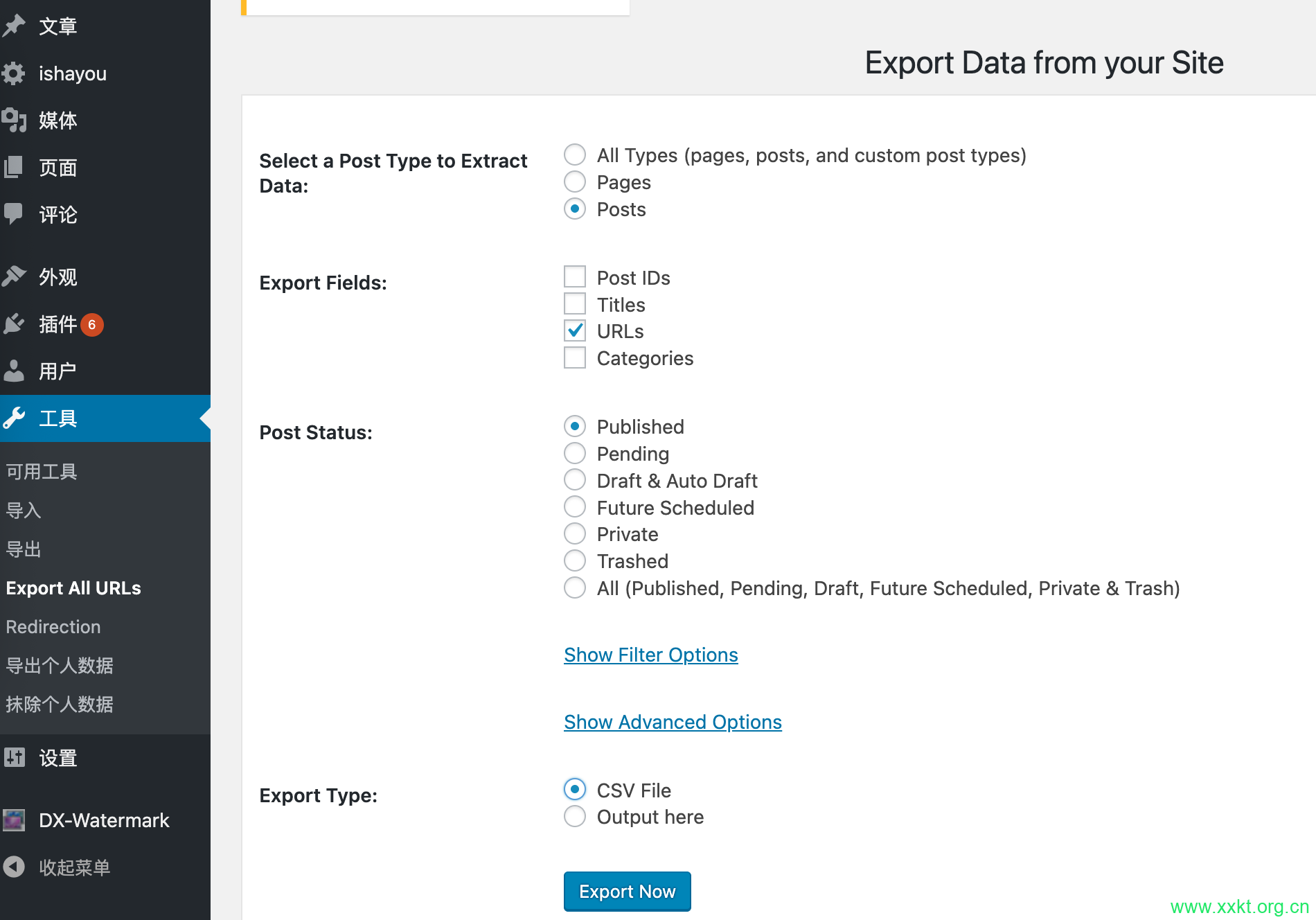 After opening in Excel or WPS, simply add or remove. html from a single row, and adding it will result in a row of. html in multiple columns. Then
C3=A2&B2 is enough, then copy and paste column C as data, and finally delete and save column B.
If removing. html
Directly enter=LEFT (B1, LEN (B1) -5) at position A2, then copy and paste columns A and B into the data format, and swap columns A and B.
In summary, the final Excel table is shown in the following figure. The source URL is in the first column, which means the original URL is not included in the. html file. The target URL is in the second column, which means the target URL is included in the. html file.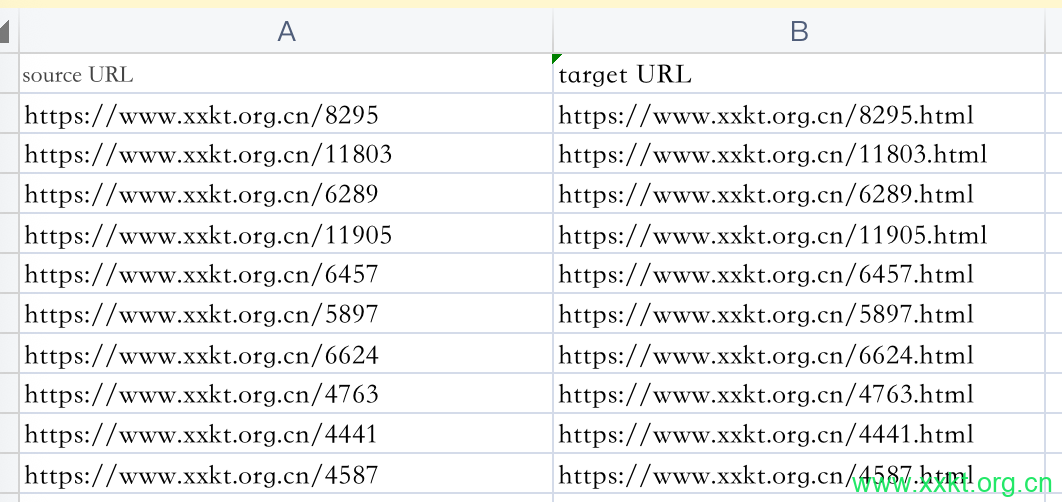
2. Redirection pluginThese multiple URL redirects can be set up on the server, but they can also be done using plugins such as the redirection plugin, Manage all your 301 redirects and monitor 404 errors。 Find the import/export page and click on ‘all file’ to upload the URL in CSV format that we have saved.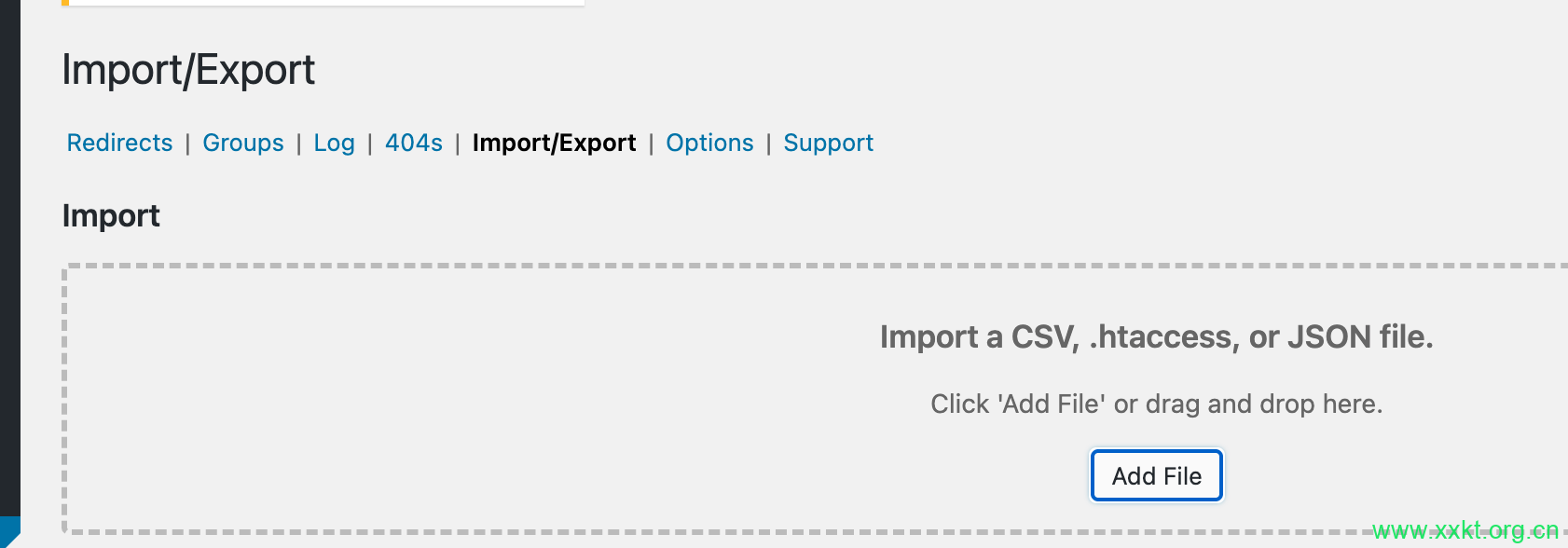 The final effect is definitely good, there’s nothing to demonstrate.
非特殊说明,本文为小小课堂SEO自学网原创,欢迎转载并保留版权 https://www.xxkt.org.cn/
本站提供SEO与GEO培训、咨询、诊断,微信(电话):13722793092 微信公众号:xxktorg
标签:SEO is dead, SEO optimization, SEO optimized URL, URL optimization, WordPress website article redirection 文章最后更新时间:六月 18, 2026


发表评论